Showing posts with label google play store. Show all posts

Monday, July 14, 2014

What is this google play service? මොකක්ද මේ ගූගල් ප්ලේ සර්විස් කියන්නෙ?

Google play service is used to update apps and apps from google play. This component provides core functionality like acces to all the latest user settings and higher quality lower powered location service. It speed up offline search, provide more immersive maps and improve gaming service. Some apps may not work if you uninstall google play service.

ගූගල් ප්ලේ සර්විස් ගූගල් ප්ලේ ස්ටෝ මගින් ඇප්ස් උප්ඩේට් කිරීමට යොදා ගනී. එසේම මෙම කොටස සියලුම නව ගූගල් සැකසුම් වලට ප්‍රෙවේශය සඳහා යොදා ගනී. එසේම ඉතා අඩු බලයක් යොදාගන්නා පිහිටීම දැක්වීමේ (location) සේවා මේ මගින් සපයයි. මෙය ඕෆ්ලයින් සෙවුම් වල ගුනාත්මය වැඩි කරයි. එසේම මේ මගින් ත්‍රිමාණ සිතියම්, ක්‍රීඩා වැඩිදියුණු කිරීමේ සේවා සපයයි. මෙය ඉවත් කලහොත් ඇතැම් ඇප්ස් ධාවනය නොවිය හැකිය.

Sunday, May 4, 2014

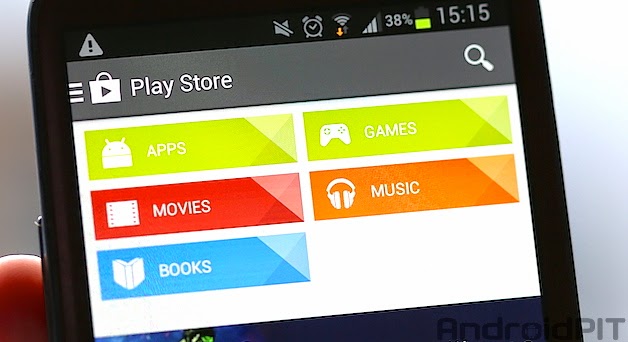
Let's install the google play store manually ප්ලේ ස්ටෝ නොමැති උපකරණ වලට එය ස්ථාපිත කරමු.

Lots of people pic up tablets and smart phones that don't have the google play store pre-installed on them. Perhaps you've just granted root access yourself and accidentally deleted play store or flashed a custom ROM that don't have the play store. Following method you can install it easily.

1) download Google play store here.

2) enable unknown source in your system settings.

3) install download play store normally.

4) now you can enter play store using youe gmail id and password.

Pleas leave your valuable idea via comments

බොහෝ දෙනෙකු ටැබ්ලට් හෝ ස්මාර්ට් දුරකතන මිලදී ගැනීමේදී ඒවායේ ප්ලේ ස්ටෝරුව අන්තර්ගතකර නොමැත. ඇතැම් විට ඔබ විසින් දුරකතනයේ රූට් ප්‍රෙවේශයට ඇතුල් වූ විට හදිසියේ ප්ලේ ස්ටොර් මැකී යා හැකිය. ඇතැම් විට කස්ටම් රොම් එකක් ස්ථාපනය කිරීමේදී එහි ප්ලේ ස්ටොරුව නොතිබිය හැකිය. මෙවැනි අවස්තාවක පහත පියවර මගින් මෙය ස්තාපනය කල හැකිය.

1) මෙතනින් ගූගල් ප්ලේ ස්ටොර් එක බාගත කරගන්න.

2 ඔබේ ඇන්ඩ්‍රොඉඩ් උපකටණයේ සැකසුම් වල ඇති unknown source සක්‍රීය කරන්න

3) බාගත කරගත් ප්ලේ ස්ටොර් එක සාමාන්‍ය පරිදි ස්ථාපිත කර ගන්න.

4 දැන් ඔබේ ජීමේල් යූසර් නේම් හා පාස්වඩ් මගින් ප්ලේ ස්ටො වෙත පිවිසිය හැකිය

ඔබේ වටිනා අදහස කොමෙන්ට් කිරීමට කාරුණික වන්න.